
Winboost Casino App
The Winboost app is a browser-based version of the casino that runs on any modern smartphone or tablet without a download from the App Store or Google Play. It opens the complete lobby of more than 6,000 games, the cashier, active bonuses and 24/7 live chat, and a shortcut on the home screen makes it launch in one tap just like an installed application. Because nothing is stored on the device, there are no updates to install, no storage space to free up and no separate account to create.

How the Winboost App Works
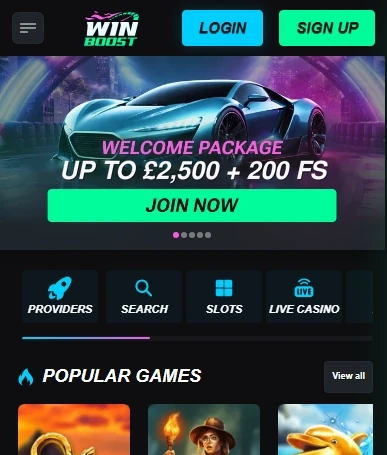
The Winboost mobile site detects the screen size and rearranges itself automatically. Navigation moves into a menu icon at the top, game tiles are resized for touch, and the cashier opens as a full-screen panel that is easy to fill in with one hand. Every change made on the desktop site, from new releases to fresh promotions, appears on the phone at the same moment. Account details are shared as well, so a balance topped up on a laptop is ready to use in the Winboost app a second later.
Adding a Home-Screen Shortcut on iPhone and Android
A Winboost shortcut gives the browser version the look of a native application. Setting it up takes less than a minute:
- Open win-boost-uk.co.uk in Safari on iPhone or iPad, or in Chrome on Android.
- On iOS, tap the Share icon; on Android, tap the three-dot menu in the corner.
- Choose Add to Home Screen, keep or edit the name, and confirm.
- Launch the casino from the new icon, which opens it in full-screen mode without the address bar.
The Winboost shortcut can be deleted like any other icon, and it never requests access to contacts, photos or location.
What the Winboost Casino App Offers
Nothing is cut from the Winboost mobile version. Players can browse the whole library, use search and filters, and save favourite titles, while live dealer tables stream in portrait or landscape. The Winboost casino app also handles every account task: registration, sign-in, identity document upload through the phone camera, deposits, withdrawals and responsible gaming settings. Promotions can be viewed and activated from the phone, and progress on wagering is displayed in the bonus section exactly as on a computer. Main features in short:
- full game lobby with slots, jackpots, crash titles and live tables;
- cashier for cards, e-wallets and cryptocurrency;
- welcome package, reloads, rakeback and cashback;
- live chat support available around the clock.
Device Requirements
The Winboost browser version works on iPhones and iPads running recent iOS versions and on Android phones and tablets with an up-to-date Chrome browser. A screen of at least five inches is comfortable for slots, while live tables and game shows are easier to follow on larger phones or tablets. For smooth streaming, a stable Wi-Fi or 4G connection is recommended; slots use far less data and play well even on a weaker signal. Keeping the browser updated brings the best loading speed.
Payments and Support on Mobile
Winboost deposits from a phone follow the same steps as on a computer, and all methods are available, including Visa, Mastercard, Skrill, Neteller, bank transfer and cryptocurrency. Crypto payments are particularly convenient on mobile because a wallet app on the same phone can copy the deposit address in a couple of taps. If a question comes up, the Winboost chat bubble in the corner of each page connects to a support agent within minutes, and documents can be sent straight from the phone gallery.
Winboost App or Desktop Site
Both versions share the same account, games and offers, so the choice depends on the situation. The Winboost app suits short sessions on the move and quick deposits, while a laptop gives more room for live game shows and multi-hand blackjack. Many players switch between them during the same day, and the balance, favourites and bonus progress follow them automatically. Setting deposit limits and session reminders works on either device, and the Winboost casino app applies them to the whole account at once.